Customer Journey Pathing Analysis
Customer journeys are rarely linear. A visitor may enter through organic search, explore three product categories, view a blog post, abandon a cart, receive an automated email, and finally convert on mobile five days later.
Keystone's Customer Journey Pathing Analysis visualizes thousands of multi-touch user sessions simultaneously using high-dimensional Sankey diagrams.
1. The Pathing Analysis Console
Navigate to Analytics -> Pathing Analysis (/analytics/pathing) to explore customer flows.
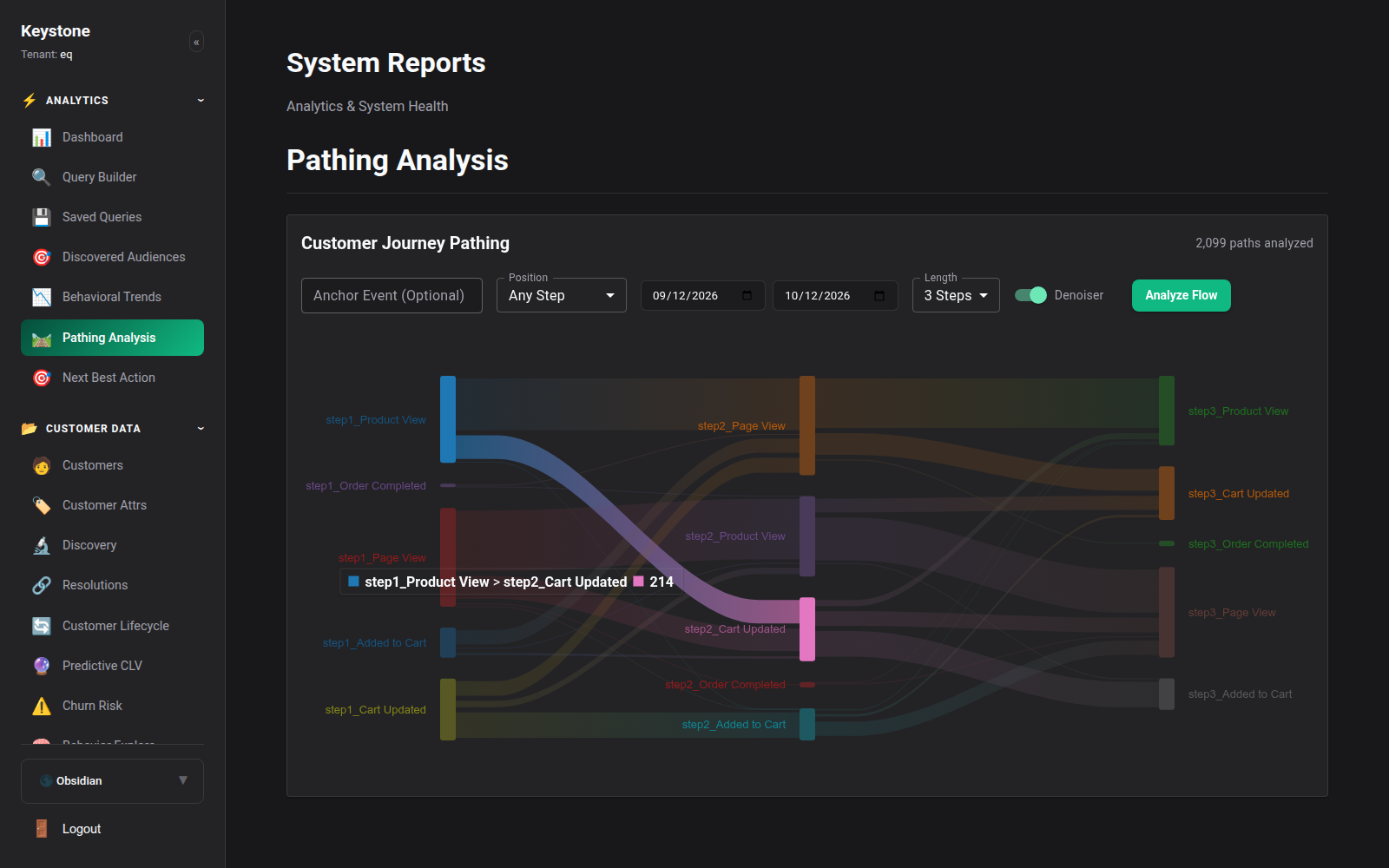
Key Display Components:
- Analyzed Paths Counter: Total distinct multi-event sequences evaluated (e.g.
2,099 paths analyzed). - Interactive Step Depth: Step 1, Step 2, Step 3, Step 4, and terminal conversion/drop-off.
- Node Classification: Color-coded event nodes (e.g.,
Product View,Category Browse,Cart Updated,Order Completed,Search Executed). - Flow Thickness: Proportional to the volume of user traffic following that exact behavioral transition.
2. Navigating the Sankey Journey
The Sankey diagram provides intuitive visual interaction: - Hovering over a Flow Ribbon: Highlights the path and reveals exact visitor volume, conversion percentage, and median elapsed time between steps. - Clicking an Event Node: Filters the downstream visualization to only show sequences that passed through that specific interaction. - Starting Point vs Ending Point Anchoring: - Forward Pathing: "Starting from the Homepage, where do users go next?" - Reverse Pathing: "Starting from the Completed Order, what were the 4 touchpoints immediately preceding the purchase?"
3. Detecting Friction & Drop-Off Bottlenecks
Pathing analysis immediately exposes unexpected customer drop-offs: 1. Looping Navigation: Users bouncing repeatedly between a product page and shipping policy before abandoning indicates unclear delivery costs. 2. Search Dead Ends: Users executing searches and immediately dropping off indicates missing catalog inventory or poor search relevance. 3. High-Conversion Superhighways: Identifies which specific sequence of content consumption drives the highest conversion rate, allowing marketers to replicate that journey through paid acquisition.