Visual Query Builder & Saved Queries
The Keystone Visual Query Builder allows marketers, operations teams, and analysts to build complex audience filters without writing raw SQL.
1. The Visual Query Builder Interface
Navigate to Segments -> Query Builder (/segments/query-builder) to launch the visual rule constructor.
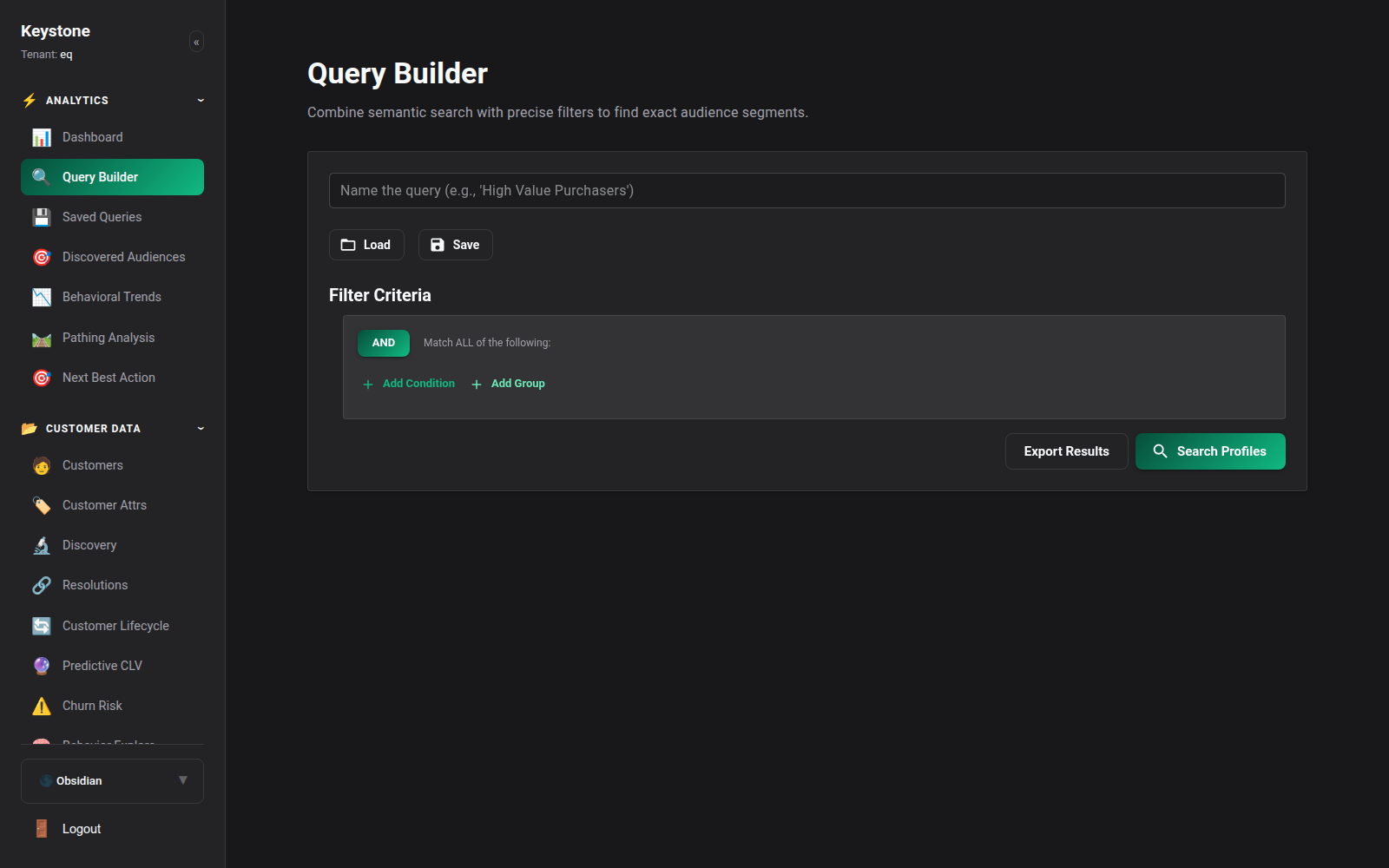
Core Components:
- Condition Groups: Combine multiple filtering clauses with Boolean logic (
AND/OR). - Entity Selectors: Query across Profile Traits, Behavioral Events, Order Histories, or Machine Learning Predictions.
- Operator Selection:
equals,does not equal,contains,greater than,less than,is between,is in list, orexists. - Time Windows: Restrict events to sliding relative windows (e.g. Within the last 30 days, Between 60 and 90 days ago) or absolute date ranges.
2. Real-Time Population Preview
As you add, modify, or remove rule criteria, the Query Builder provides Real-Time Population Estimation:
- Live counter showing the exact number of matching profiles (e.g., 1,420 profiles qualify (18.4% of total audience)).
- Breakdown of matching profiles by RFM classification.
- Estimated monthly revenue contribution of the selected cohort.
3. Advanced Query Examples
Example A: High-Intent Cart Abandoners
Target visitors who showed strong purchase intent but failed to complete checkout:
- Event: Added to Cart occurred at least 1 time in the last 7 days.
- Event: Order Completed occurred 0 times in the last 7 days.
- Trait: email is not empty.
- ML Trait: churn_risk_score < 0.65.
Example B: VIP Cross-Sell Candidates
Identify high-value customers who purchase specific product categories:
- Order Total Spend: Greater than or equal to $500.00.
- Order Frequency: Greater than or equal to 3 orders.
- Product Category Affinity: Contains Ceramic Instruments.
- Last Seen: Within the last 45 days.
4. The Keystone SQL Compiler
Behind the visual interface, Keystone translates UI rule trees into performant PostgreSQL SQL queries:
SELECT p.id, p.email, p.total_spend, p.churn_risk
FROM eq.profiles p
WHERE p.total_spend >= 500.00
  AND EXISTS (
      SELECT 1 FROM eq.events e
      WHERE e.profile_id = p.id
        AND e.event_name = 'Added to Cart'
        AND e.timestamp >= NOW() - INTERVAL '7 days'
  )
  AND NOT EXISTS (
      SELECT 1 FROM eq.orders o
      WHERE o.profile_id = p.id
        AND o.status = 'completed'
        AND o.created_at >= NOW() - INTERVAL '7 days'
  );
The SQL compiler automatically injects tenant schema paths, leverages GIN indexes on JSONB attributes, and optimizes join orders to maintain sub-second evaluation times.
5. Saved Queries & Audience Templates
Navigate to Segments -> Saved Queries (/segments/saved-queries) to manage your audience catalog.
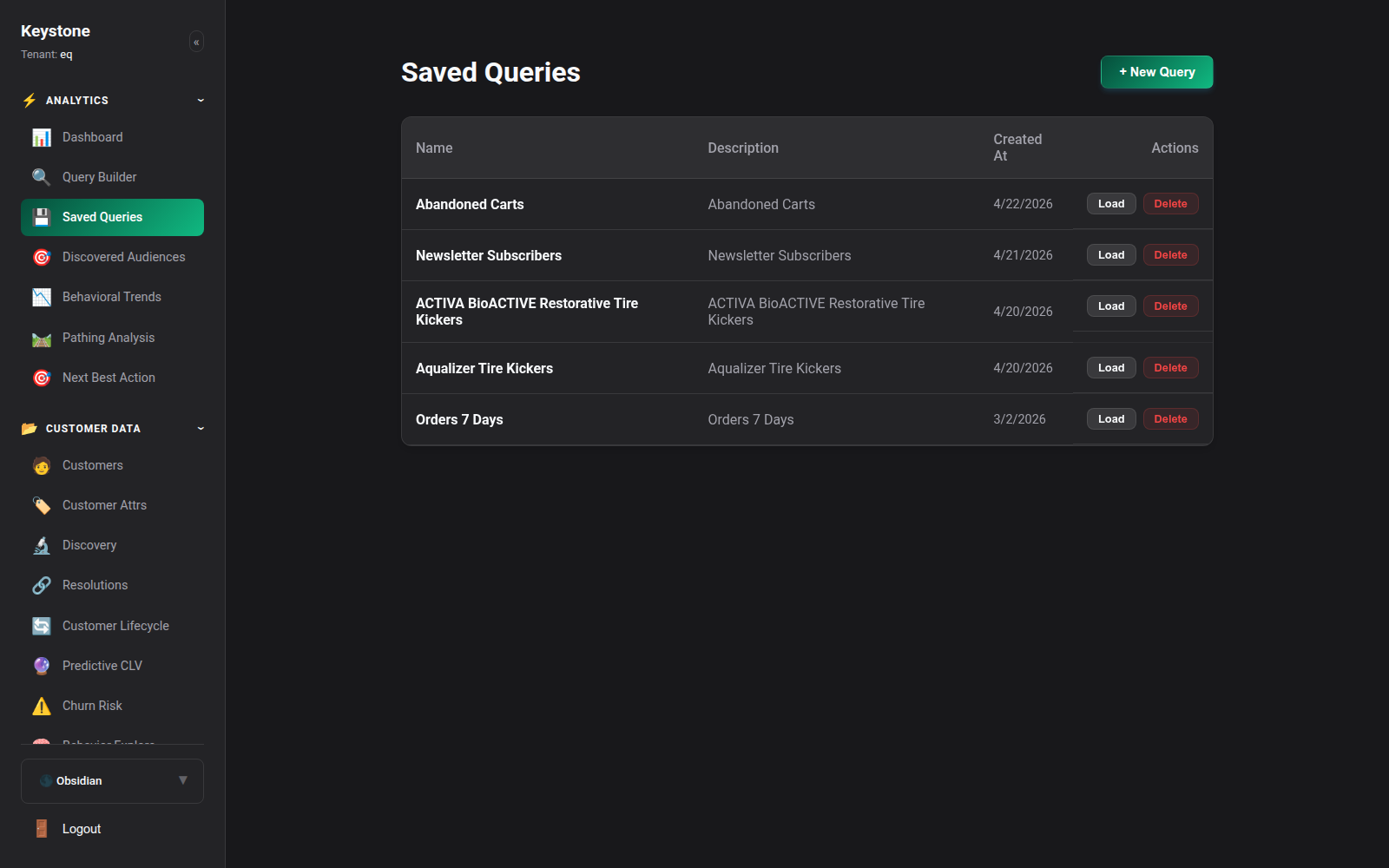
From the Saved Queries catalog: - Save and name rule templates for team reuse. - Export matching customer profiles directly to CSV. - Connect the saved query to an automated Marketing Activation or Customer Journey.