User Management & Role-Based Access Control (RBAC)
Security in enterprise customer data platforms demands fine-grained access control. Keystone enforces multi-tiered Role-Based Access Control (RBAC) across teams, departments, and external agency partners.
1. The Users Console
Navigate to System -> Users (/users) to administer workspace accounts and manage permissions.
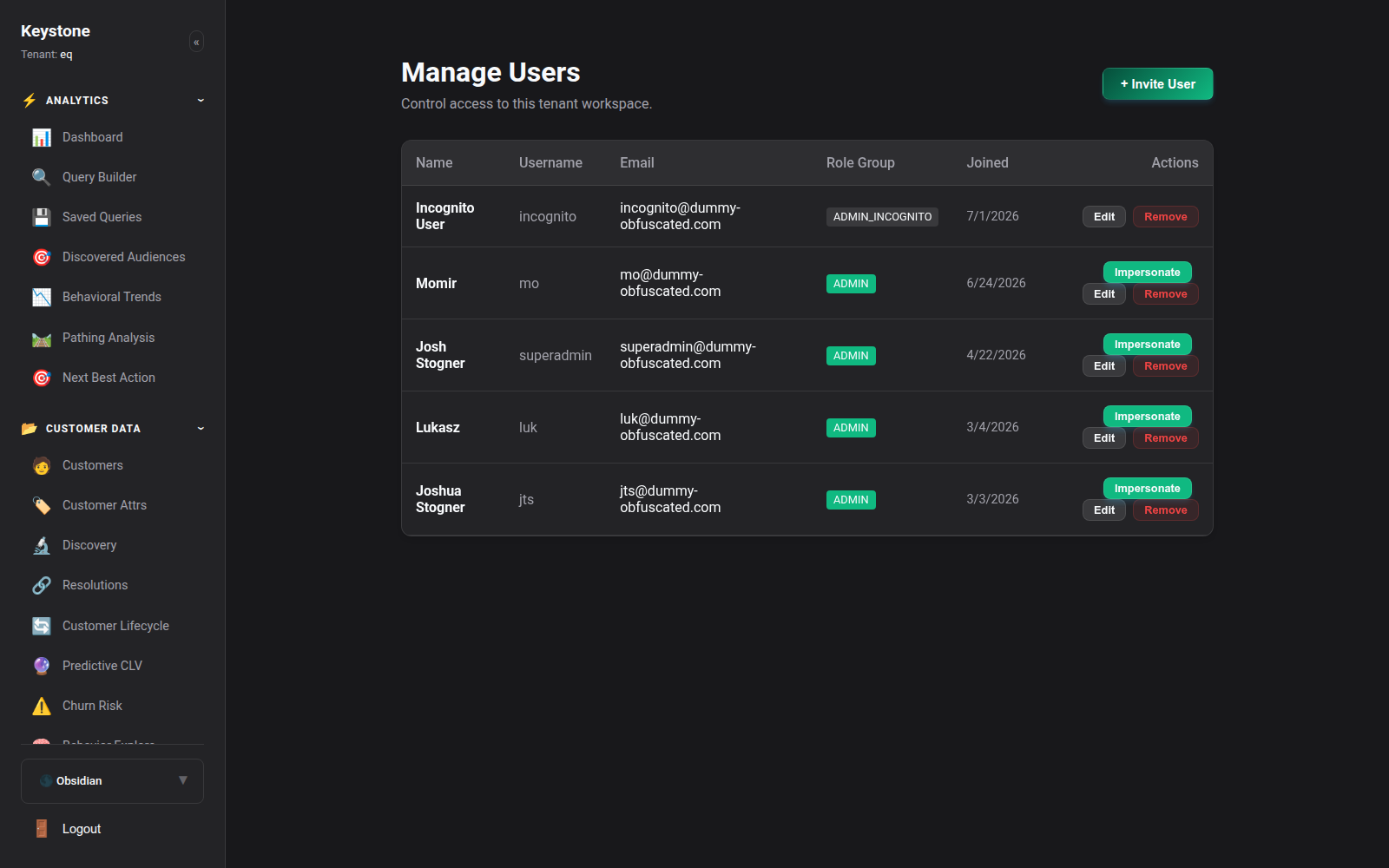
Management Actions:
- Invite Team Members: Add users by business email and assign initial role groups.
- Session Revocation: Instantly terminate active JWT tokens for compromised or offboarded accounts.
- Two-Factor Authentication (2FA): Enforce mandatory TOTP two-factor authentication workspace-wide.
2. Standard Role Groups
Keystone organizes permissions into five primary role groups:
| Role Group | Intended Audience | Permissions Overview |
|---|---|---|
admin |
Executive Admins, CTOs, Data Leads | Complete administrative authority over billing, database schemas, API keys, and user management. |
admin_incognito |
Sales Engineers, Trainers, Auditors | Full administrative authority with continuous on-the-fly PII masking for demonstrations and compliance training. |
editor |
Growth Marketers, Campaign Managers | Create and edit audience segments, build customer journeys, configure activation syncs, and export reports. |
viewer |
Executives, Business Analysts | Read-only access to dashboards, reports, and journey conversion analytics. Cannot export raw PII. |
support |
Customer Service Representatives | Restricted customer 360 profile lookup to assist with order status and account inquiries. |
3. Granular Permission Toggles (35+ Resources)
In addition to broad role groups, administrators can configure granular permission overrides across 35+ platform capabilities:
- PII Visibility: Unmasked vs Masked vs Redacted.
- Export Rights: Ability to trigger raw CSV customer profile downloads.
- Activation Management: Authorization to sync audiences to external ad platforms.
- Schema Alterations: Authority to add or modify dynamic customer and product attributes.
- API Key Creation: Authority to generate secret workspace API keys.
4. Single Sign-On (SSO / SAML / OIDC)
Keystone integrates with enterprise identity providers (Okta, Microsoft Azure AD, Google Workspace) via standard SAML 2.0 and OpenID Connect (OIDC) protocols.
Configure SSO in System -> Security & SSO (/settings/security) to enable Just-In-Time (JIT) user provisioning and centralized role mapping.