JavaScript Tracker SDK (tracker.js)
The Keystone JavaScript Web Tracker (tracker.js) is an ultra-lightweight (~8KB gzipped), asynchronous client library that captures real-time web browsing activity, provisions anonymous cookie IDs, and streams behavioral telemetry into Keystone CDP.
1. Quick Installation
Include the tracking snippet directly inside the <head> tag of your web application or storefront:
<!-- Keystone CDP Asynchronous Tracker -->
<script
    async
    src="https://cdp.your-domain.com/v1/js/tracker.js"
    data-api-key="YOUR_PUBLIC_TRACKING_KEY"
></script>
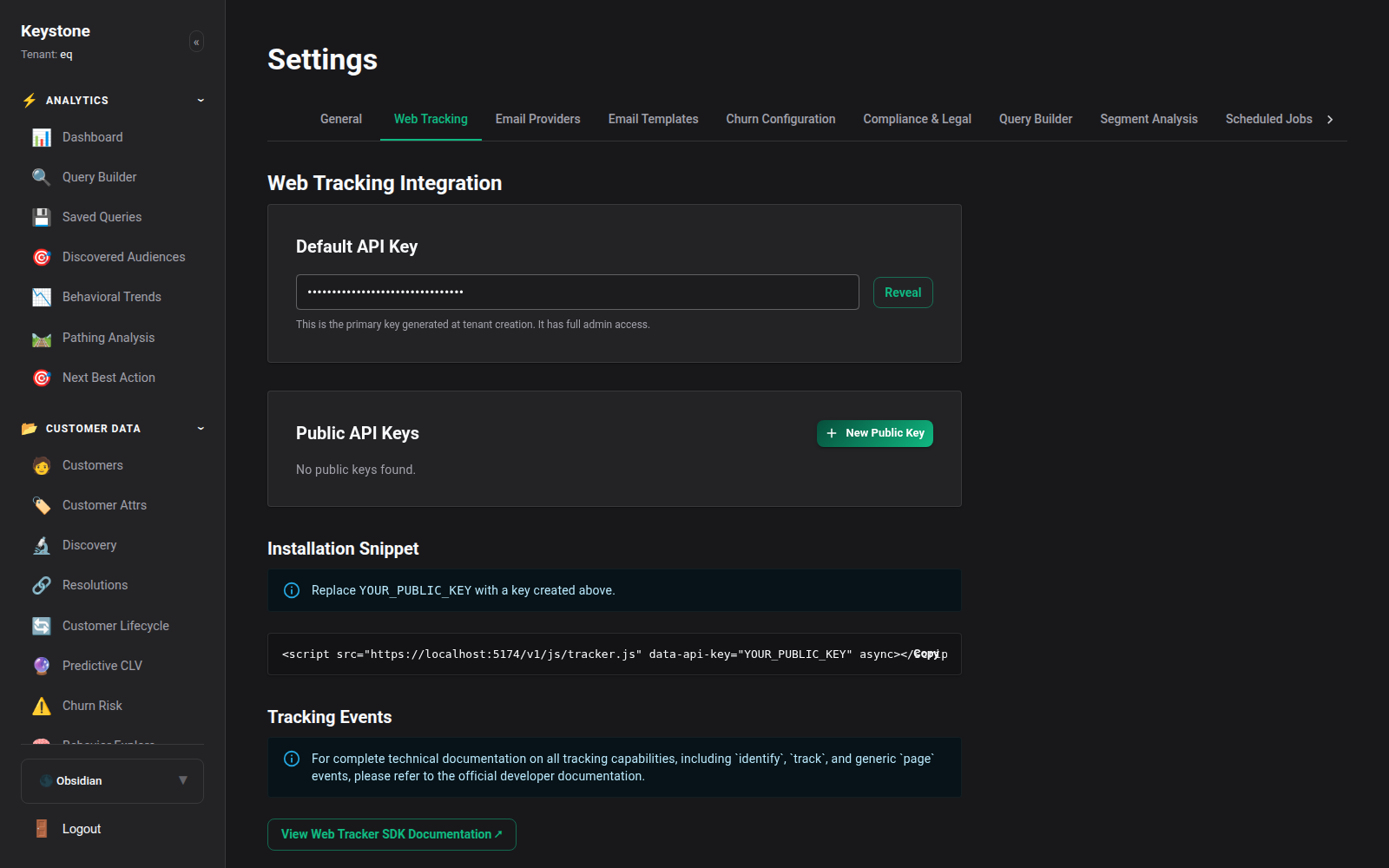
Script Configuration Attributes:
data-api-key(Required): The public tracking key generated in your Keystone Workspace Settings (/settings/tracking).data-endpoint(Optional): Custom ingestion endpoint if routing through a proxy or CDN rewrite rule. If omitted, the tracker dynamically defaults to/api/ingeston its hosting domain.
2. Core API Methods
The tracker exposes the global keystone() function:
2.1 The identify Call
Associates an anonymous browser session with a recognized customer identity. Call this upon user login, account creation, or newsletter form submission:
// Basic Identity
keystone('identify', 'cust_90214');

// Identity with Profile Traits (Recommended)
keystone('identify', 'cust_90214', {
    email: '[email protected]',
    first_name: 'Sarah',
    last_name: 'Connor',
    phone: '+15550199',
    plan_tier: 'Enterprise'
});
2.2 The track Call
Records a behavioral event performed by the visitor. Pass the event name and an optional dictionary of event properties:
// Track Product View
keystone('track', 'Product Viewed', {
    product_id: 'SKU-TURB-01',
    name: 'Optic High-Speed Handpiece',
    category: 'Surgical Instruments',
    price: 349.99,
    currency: 'USD'
});

// Track Cart Addition
keystone('track', 'Added to Cart', {
    product_id: 'SKU-TURB-01',
    sku: 'HANDPIECE-OPTIC-M',
    price: 349.99,
    quantity: 1
});
2.3 The page Call
Records a page view with URL, path, referrer, and title:
// Automatically captures document.title and window.location
keystone('page');

// Explicit Page Naming & Properties
keystone('page', 'Checkout Step 1', {
    cart_total: 349.99,
    item_count: 1
});
3. Direct Queue Push Syntax
For tag management solutions (Google Tag Manager, Tealium) or server-rendered templates, you can push event objects directly onto the window.keystoneData array buffer:
window.keystoneData = window.keystoneData || [];

window.keystoneData.push({
    type: 'track',
    event: 'Order Completed',
    properties: {
        order_id: 'ORD-99120',
        total: 349.99,
        currency: 'USD',
        products: [
            { product_id: 'SKU-TURB-01', quantity: 1, price: 349.99 }
        ]
    }
});
4. Automatic Order Inception
If any event sent via keystone('track', ...) includes an order_id in its properties dictionary, Keystone automatically triggers Order Lifecycle Inception:
- An incomplete synthetic order is immediately spawned in the database.
- Products in the payload are checked against the catalog (provisioning skeleton products if undiscovered).
- When a terminal Order Completed event fires, the order status transitions to completed.
5. Live Ingestion Monitoring & Debugging
Verify incoming event traffic in real time:
- Navigate to System -> Ingestion Monitor (/ingest/monitor) to view the real-time event stream.
- Open the browser developer console (F12) to verify network calls targeting /api/ingest.

Offline Resiliency & Queue Buffering
If the client's network connection drops or experiences packet loss, the tracker retains events in an in-memory queue and flushes them automatically upon network reconnection.